
Documentation
Local MCP
TL;DR
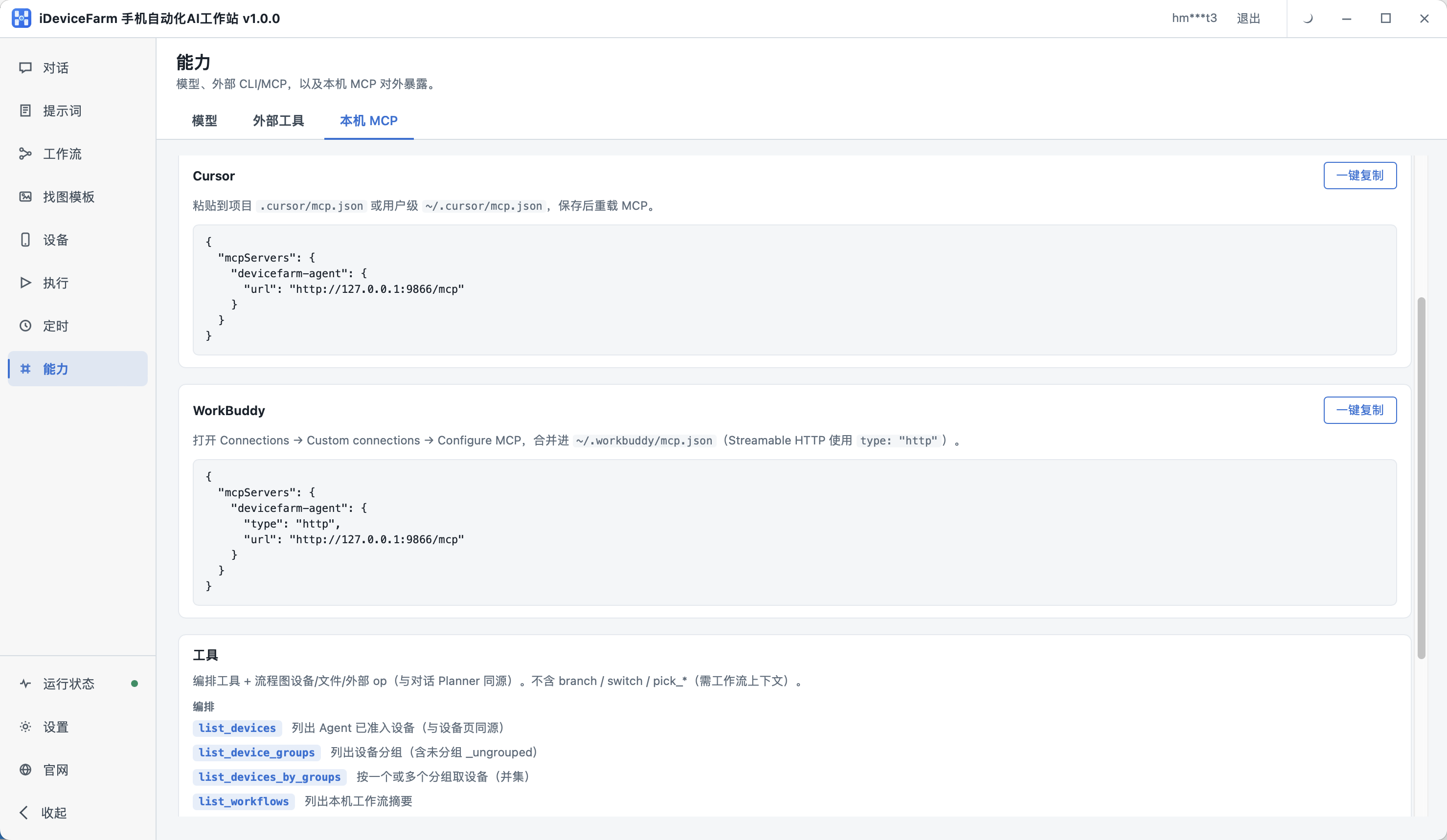
With workstation running, copy URL from Capabilities → Local MCP (defaulthttp://127.0.0.1:9866/mcp) into Cursor or WorkBuddy.
Prerequisites
- iDeviceFarm workstation running
- At least one online device on Devices
- MCP-capable client (Cursor, WorkBuddy, …)
Marketing overview: AI integration.
URL
http://127.0.0.1:9866/mcpUse the URL shown in the UI if the port differs.
Cursor
Merge into .cursor/mcp.json or ~/.cursor/mcp.json, then reload MCP:
{
  "mcpServers": {
    "devicefarm-agent": {
      "url": "http://127.0.0.1:9866/mcp"
    }
  }
}
WorkBuddy
Merge into ~/.workbuddy/mcp.json with type: "http":
{
  "mcpServers": {
    "devicefarm-agent": {
      "type": "http",
      "url": "http://127.0.0.1:9866/mcp"
    }
  }
}
Tools (orchestration)
| Tool | Description |
|---|---|
list_devices |
Enrolled synced devices |
list_device_groups |
Groups incl. _ungrouped |
list_devices_by_groups |
Union by group IDs |
list_workflows |
Local workflow summaries |
These are query/orchestration tools; deep execution stays in workstation chat/workflows.
Verify
Reload client → ask to list devices → should match Devices.
Troubleshooting
| Symptom | Fix |
|---|---|
| Connection refused | Workstation up; correct URL; localhost not blocked |
| Empty tools | Enroll devices; workflows exist locally |